
Help centreReports & taxUpdated
Read the profit and loss
Where each figure on the report comes from, and how to open a total to see the records it is made of.
The reports read from the same ledger the till writes to. There is no second set of numbers, which is why a total here can be opened to show the invoices behind it.
Pick the period
Reports, then Today, 7 days, 30 days, this month, or a range of your own. Everything on the page moves with it.
app.slickcell.com/reports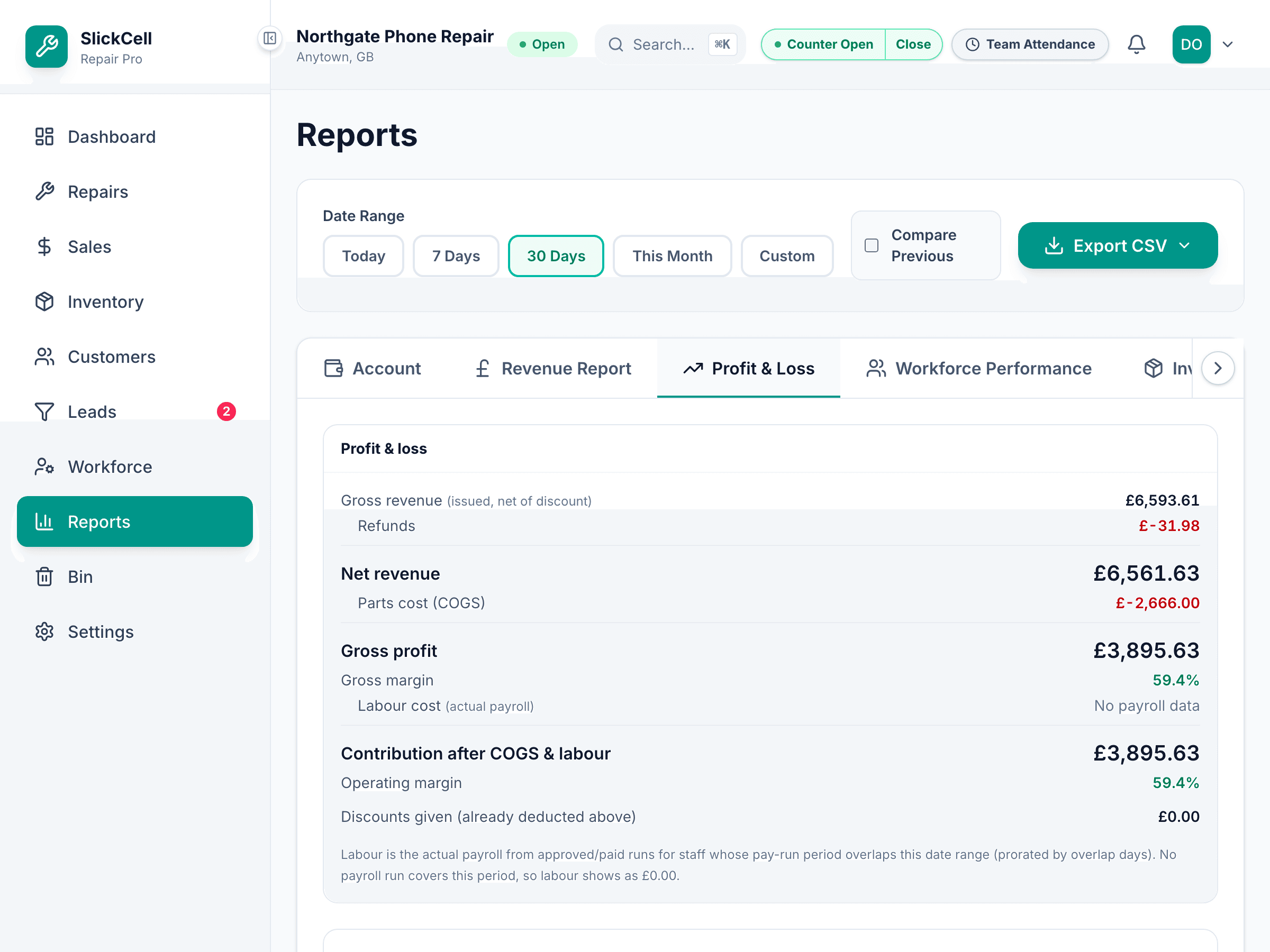
Read revenue
The total is what was invoiced in the period, split between counter sales and repairs. Those two add to the total — if they did not, something would be wrong.
Invoiced is not the same as received. Cash actually taken is in the Account tab, and the two differ by whatever is still owed.
Read the cost side
Cost of goods comes from the stock movements the sales caused, at the cost those items were carrying when they sold. Labour comes from the payroll runs.
Open a figure
Any total opens onto the records it is made of. That is the check worth doing when a number looks wrong — it will show you which sale is behind it.
Questions that come up
- Revenue looks higher than what we banked
- It will be, whenever anything is unpaid. Revenue is what you invoiced; the Account tab is what arrived.
- Why does an old sale show a different cost from today's price?
- Because it is recorded at the cost the item carried when it sold. Changing a price today does not rewrite last month's profit.